See it in action
Take a screenshot, paste it, and let AI do the rest.
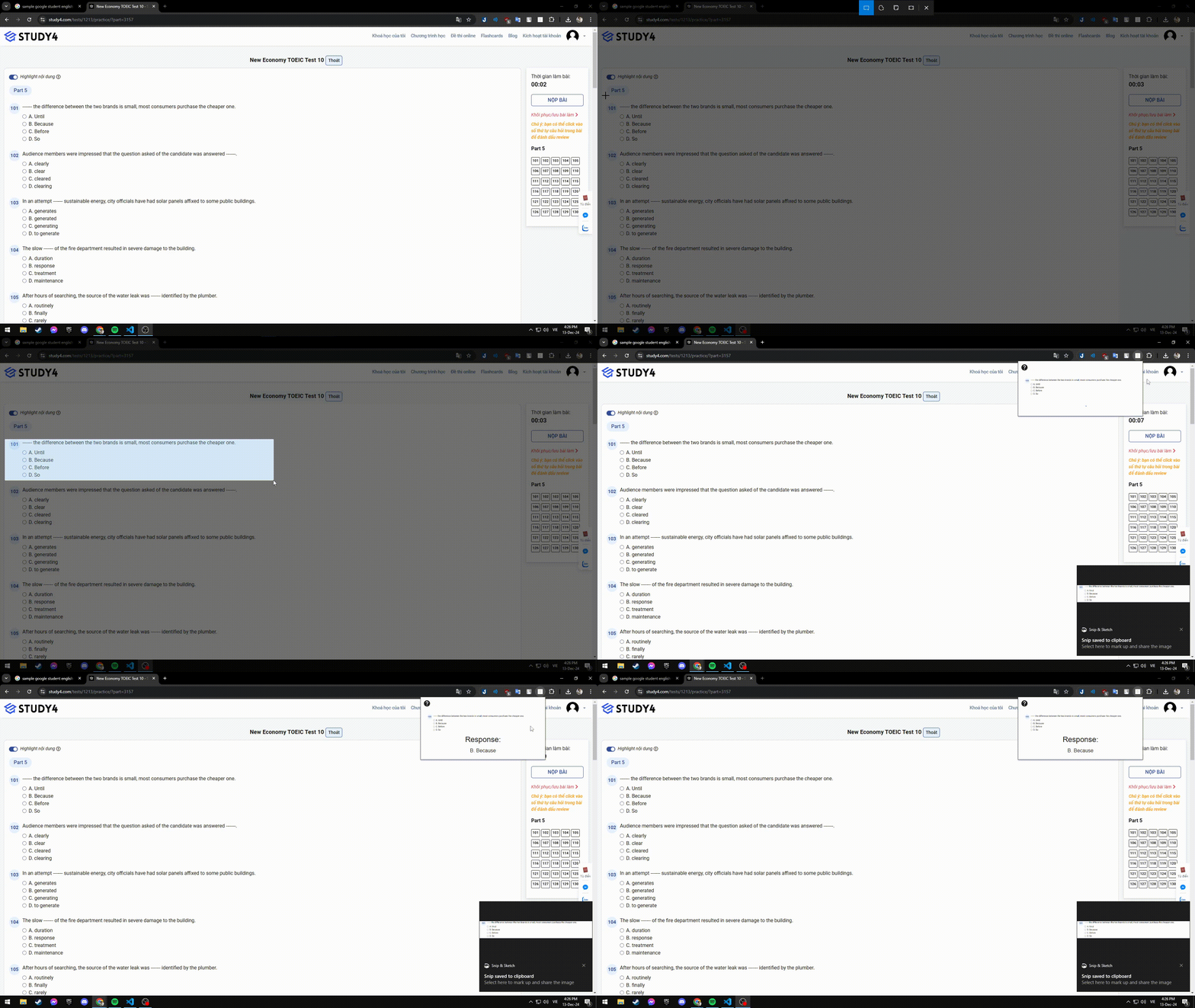
An AI-powered browser extension that reads your screenshots and tells you exactly what to input. Quizzes, forms, homework — solved in seconds.
Take a screenshot, paste it, and let AI do the rest.
Built for speed and simplicity
Just take a screenshot and paste. No typing, no copy-pasting question text. The AI reads directly from images.
Powered by advanced Vision AI models, it takes a minute or two — but hey, it's completely free!
Screenshots are processed on-the-fly and never stored. Your data stays yours.
Multiple choice, fill-in-the-blank, math, grammar, web forms — handles them all.
Works on Windows and macOS. Clipboard integration adapts to your operating system automatically.
No subscriptions, no hidden fees, no ads. Just install it and start using it right away.
Three simple steps to get your answer
Use your system screenshot tool (Cmd+Shift+4 on Mac, Win+Shift+S on Windows) to capture the question, quiz, or form you need help with.
Click the extension icon in your toolbar, then paste your screenshot (Cmd+V / Ctrl+V). The AI will automatically start analyzing the image.
Within seconds, the AI returns the correct answer. Copy it, type it, or use it however you need.
Multiple choice, fill-in-the-blank, and more
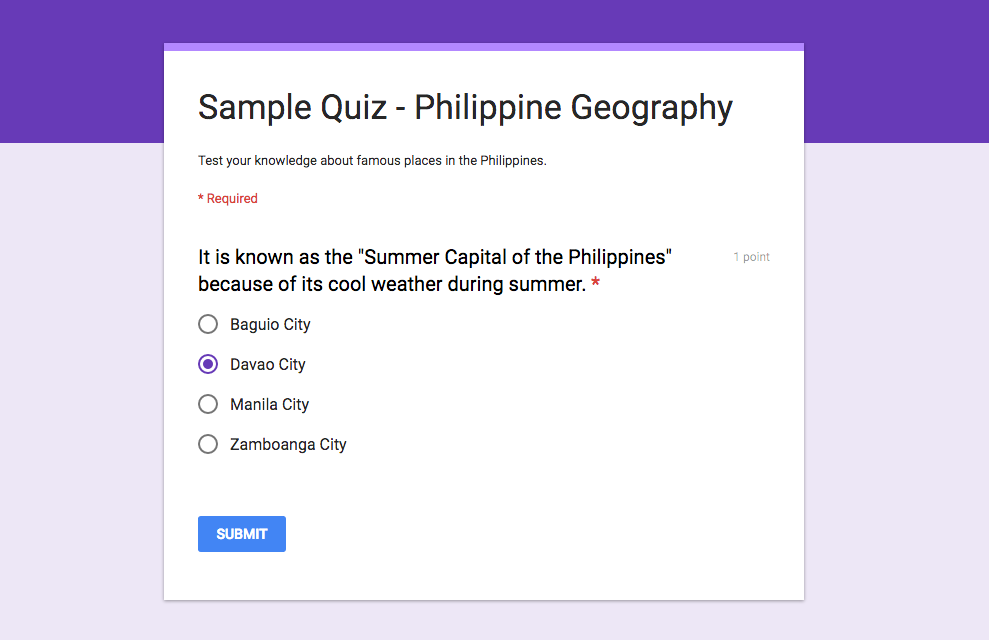
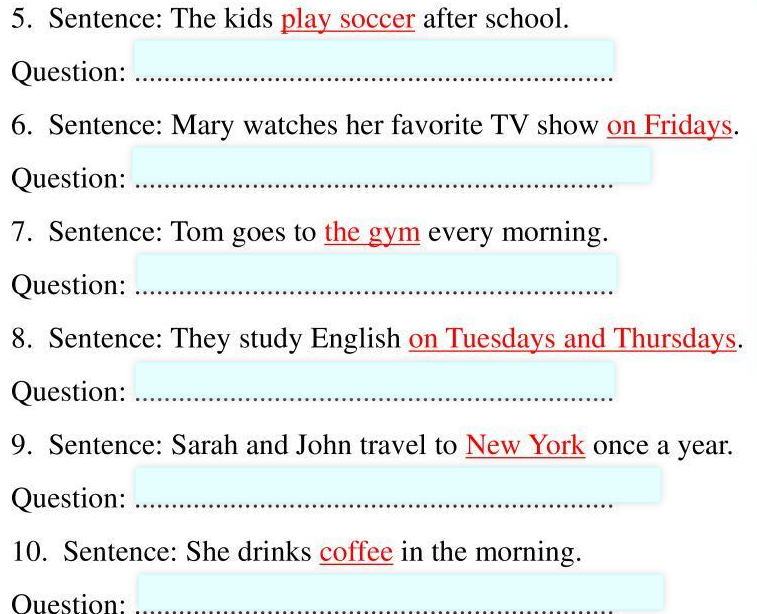
If this tool saved you some time, a small donation keeps the servers running and maybe we'll get a faster AI!
Donate via PayPalDownload the extension and start getting answers from screenshots in seconds.
Download for Chrome